Physics Body Positioning: Explained#
If you've ever tried using the world position of a body or the local position of a shape on a body to do something, there is a chance that you've noticed some specific problems related to the positioning system.
For example, sometimes a shape's local position on a body is correct while other times it seems to be completely wrong!
Also, the way in which a body's world position works can be confusing or hard to understand if you do not know how the positioning system works.
Because of these issues, I created this page to explain exactly how the body positioning system and the shape local position work.
The Body Positioning Grid#
The world position of a body is assigned in a special way.
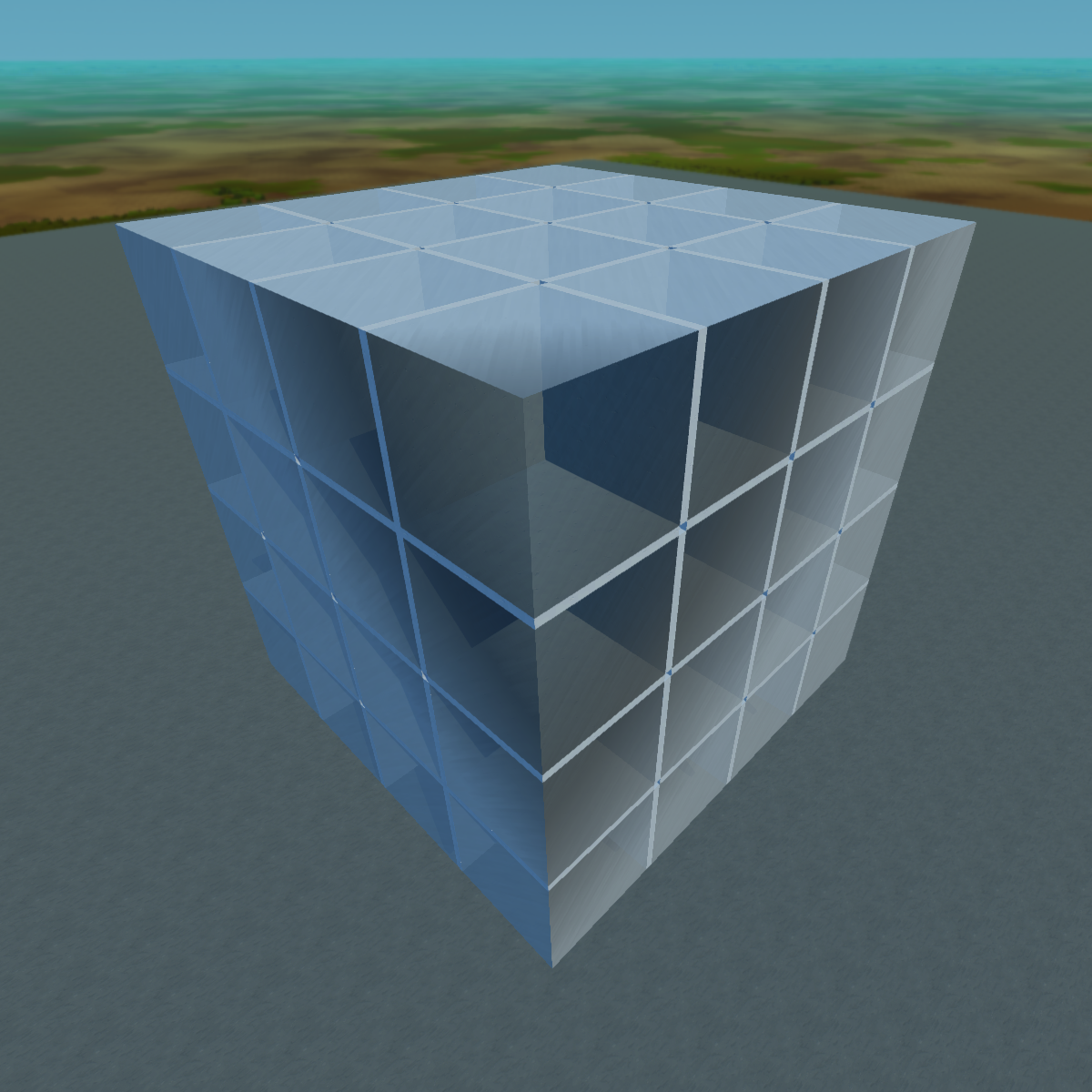
The entire game world is divided into a grid of 'blocks' in all three dimensions. I will call these 'positioning blocks'.
Each body positioning block has a size of 16x16x16 normal building blocks.
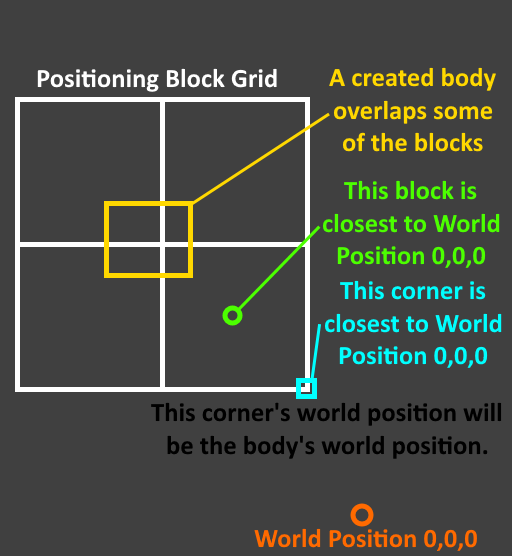
When any body, regardless of whether it is dynamic or static, is created in the game world, the game
checks the positioning blocks that the created body overlaps with.
It then gets the positioning block that is closest to the world position 0, 0, 0.
Then, the game checks the corners of said positioning block and finds the corner that is closest to world position 0, 0, 0.
This corner's world position is then set as the body's world position.
If there are multiple bodies created in the same positioning block, these bodies will all have the same world position assigned.
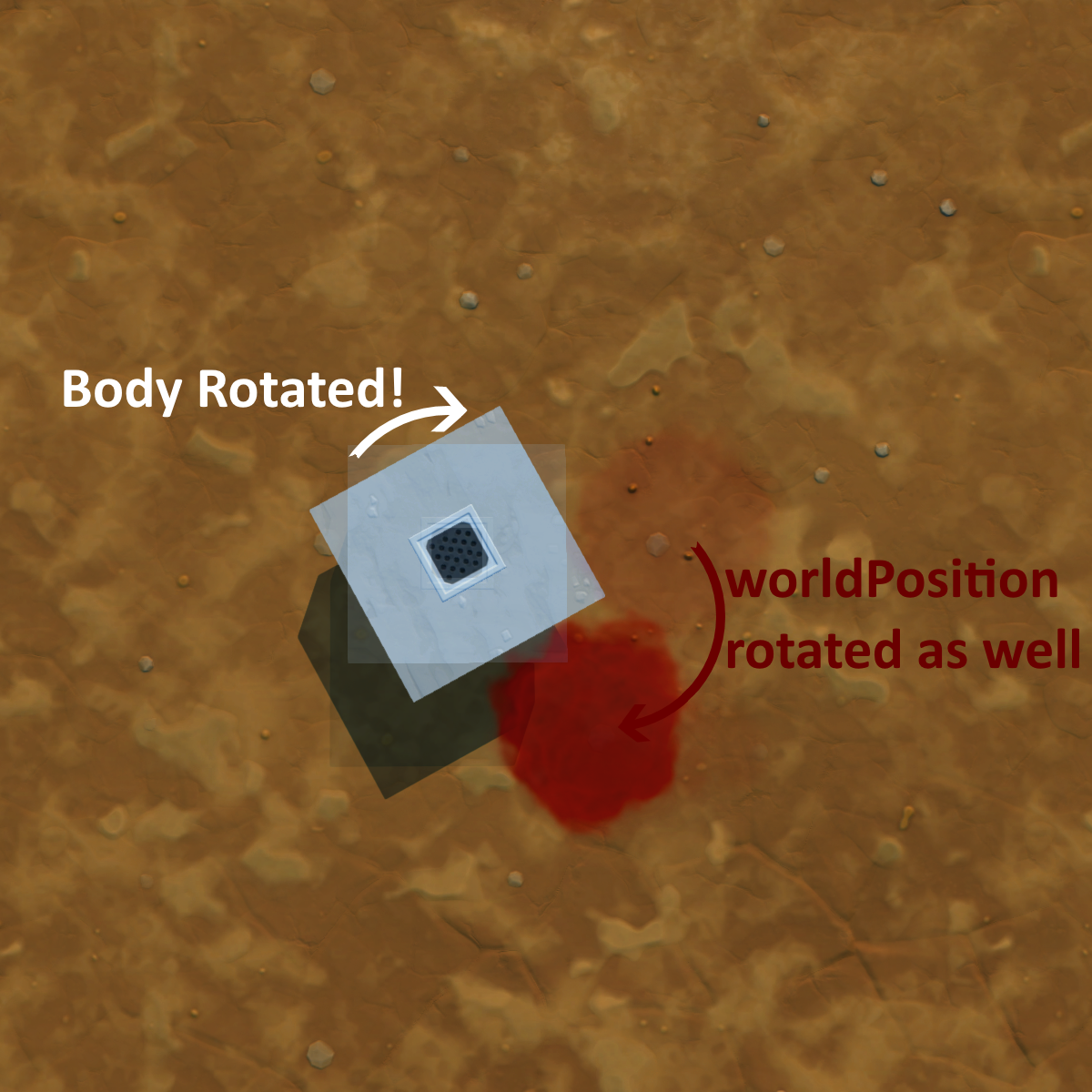
After a world position has been assigned to a body, that position stays relative to the body.
What this means is for example, if the body's world position is X building blocks away from the shapes in the body
and said shapes (and thus the body) are for example being rotated, the world position rotates with the body.
If additional shapes are attached to the body and its size grows, the world position does not change.
If a body is created on a joint that is attached to another body, the created body inherits the joint parent body's world position.
This is always the case, even if the created body is outside of the parent body's positioning block.
Note that, if the child body rotates on the joint, its worldPosition will still rotate separately from the parent body's worldPosition.
If a body is spawned in as a blueprint from the lift, the game does not assign it to a positioning block.
Instead, the game reads the body positioning information from the blueprint file and uses that.
One more thing to note: It is entirely wrong to assume that a body's worldPosition is always inside the body - in fact,
it is almost never inside the body due to the positioning block system!
Below are some images to help visualize the positioning grid, position assignment and world position rotation behavior:
Block Grid Visualization#
The positioning block grid, built in-game to visualize it.
The glass blocks represent the positioning blocks, while the white blocks only serve to
visualize the blocks (they are not part of the actual positioning block grid).
This grid exists throughout the entire game world.
Body Position Assignment#
A drawing that attempts to visualize how the worldPosition assignment works.
It shows a simplified version of the positioning block grid, a body that
was created in the grid and overlaps some of the positioning blocks and
how the body position is assigned from the positioning block's corner position.
Body World Position Rotation#
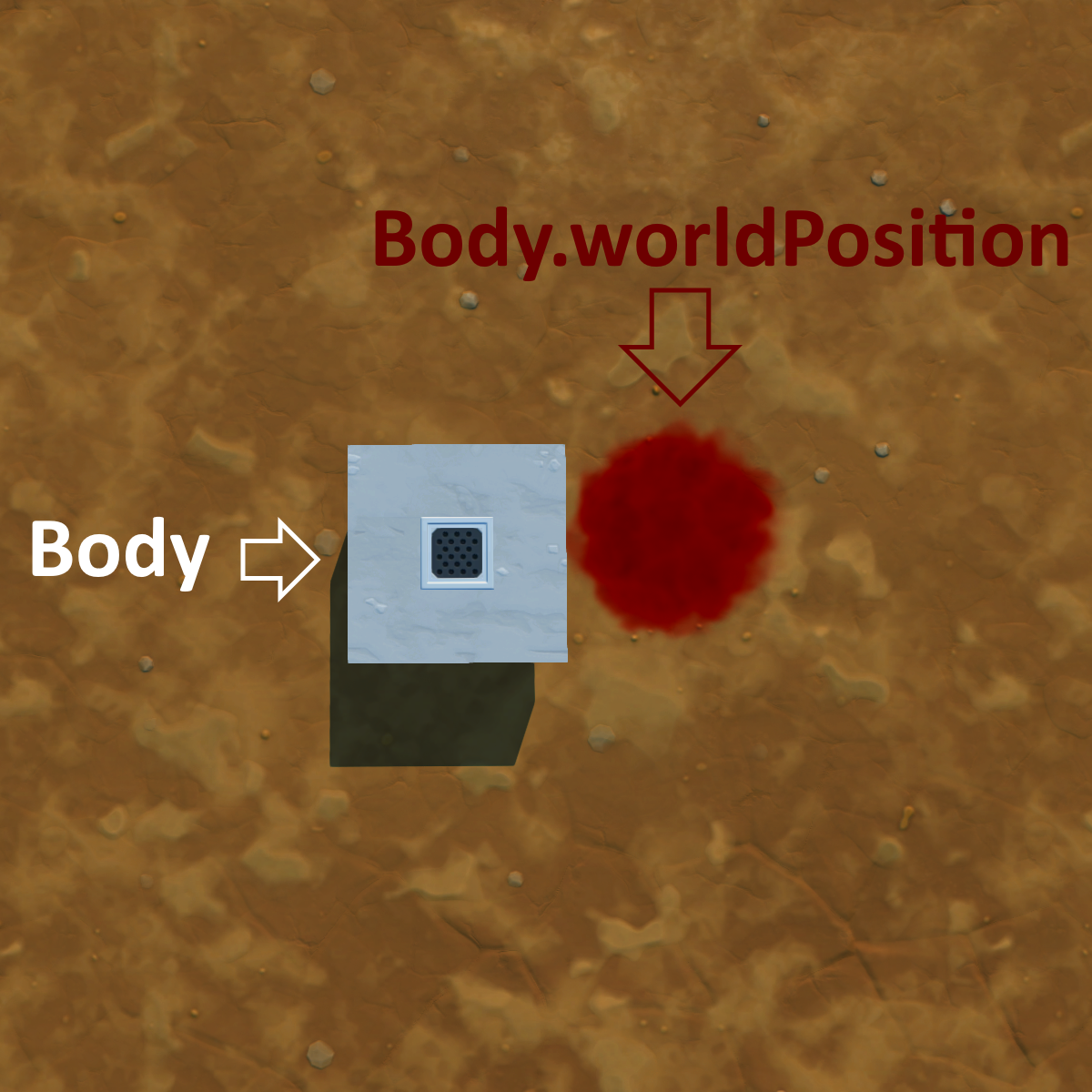
A visualization of how a body's worldPosition rotates together with the body.
The red particle marks the body's worldPosition.
First, the position is the one that was assigned to the body:
Now, if the body is dynamic and it rotates, its world position rotates with it.
The Shape Local Position#
If you spawn a particle at a shape's localPosition, it seems normal at first.
However, if the shape's body becomes dynamic and moves, the position goes all over the place.
The reason for this is that the localPosition does not take into account the rotation of the body.
The true local position of the shape can easily be calculated like this: localPosition = body.worldRotation * shape.localPosition.
Note that the result is in meters.
To get the result in blocks, do: localPosition = body.worldRotation * shape.localPosition / 4.
Note that the resulting position is the corner of the shape, not the center.
This corner is the negative X/Y/Z corner of the shape.
Body Position & AABB Visualizer#
This is not meant as an advertisement but rather as a helpful reference to a mod that visualizes bodies, their worldPositions, AABBs and more.
I added this here as it can help understand how the positioning system works.